Made for Google Pixel 9a
Field Testing Now
Do you use a Pixel 9a
with Dual SIM?
Dual Ringtone is an Android app for Google Pixel 9a with Dual SIM that lets you assign a different MP3 ringtone to SIM 1 and SIM 2. Development and closed testing are complete, and the app is nearly ready for release.
Taking a finished app into real-world use.
Dual Ringtone has completed development and closed testing and is nearly ready. Before the public release, we are conducting field testing with people who actually use a Pixel 9a with Dual SIM.
Use the app as you normally would and confirm that the assigned ringtone plays correctly for incoming calls to SIM 1 and SIM 2. We would also appreciate brief feedback on usability or anything you notice.
If you participate in the field test, you can continue using Dual Ringtone free of charge after the test.
Join the Field TestOfficial development and test device: Google Pixel 9a
Want a different ringtone for each SIM on Google Pixel 9a?
With dual SIM, it is useful to know whether a work number or personal number is ringing before checking the screen.
Google Pixel 9a does not provide a standard setting that assigns a separate ringtone to SIM 1 and SIM 2.
Dual Ringtone was built specifically to solve this Pixel dual SIM ringtone problem.
Standard Pixel ringtone vs Dual Ringtone
Standard Pixel
Dual Ringtone
What Dual Ringtone does
Detects SIM 1 or SIM 2
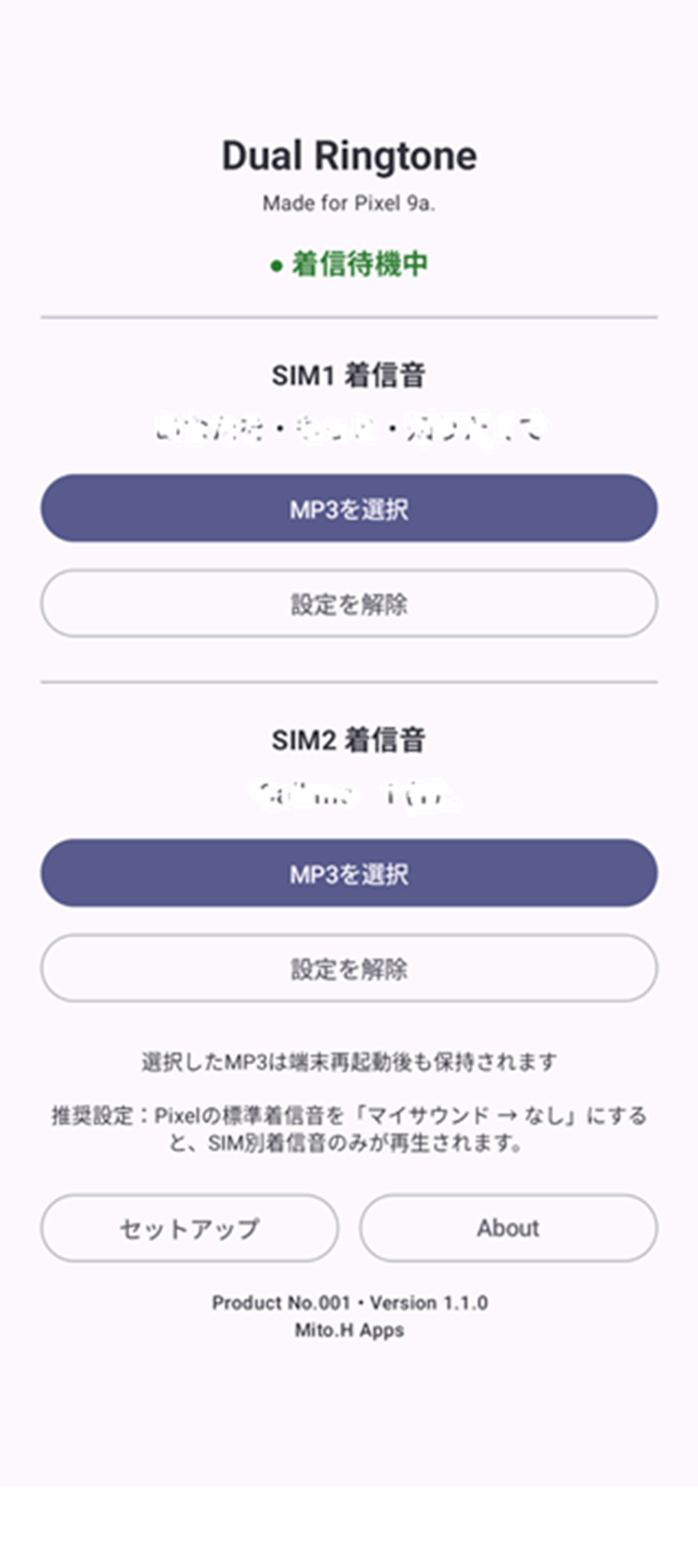
The app identifies which SIM receives the incoming call and plays the ringtone assigned to that SIM.
Separate MP3 ringtone for each SIM
Select one MP3 for SIM 1 and another MP3 for SIM 2.
Built and tested for Pixel 9a
Google Pixel 9a is the defined development and test device.
How to set different ringtones for SIM 1 and SIM 2
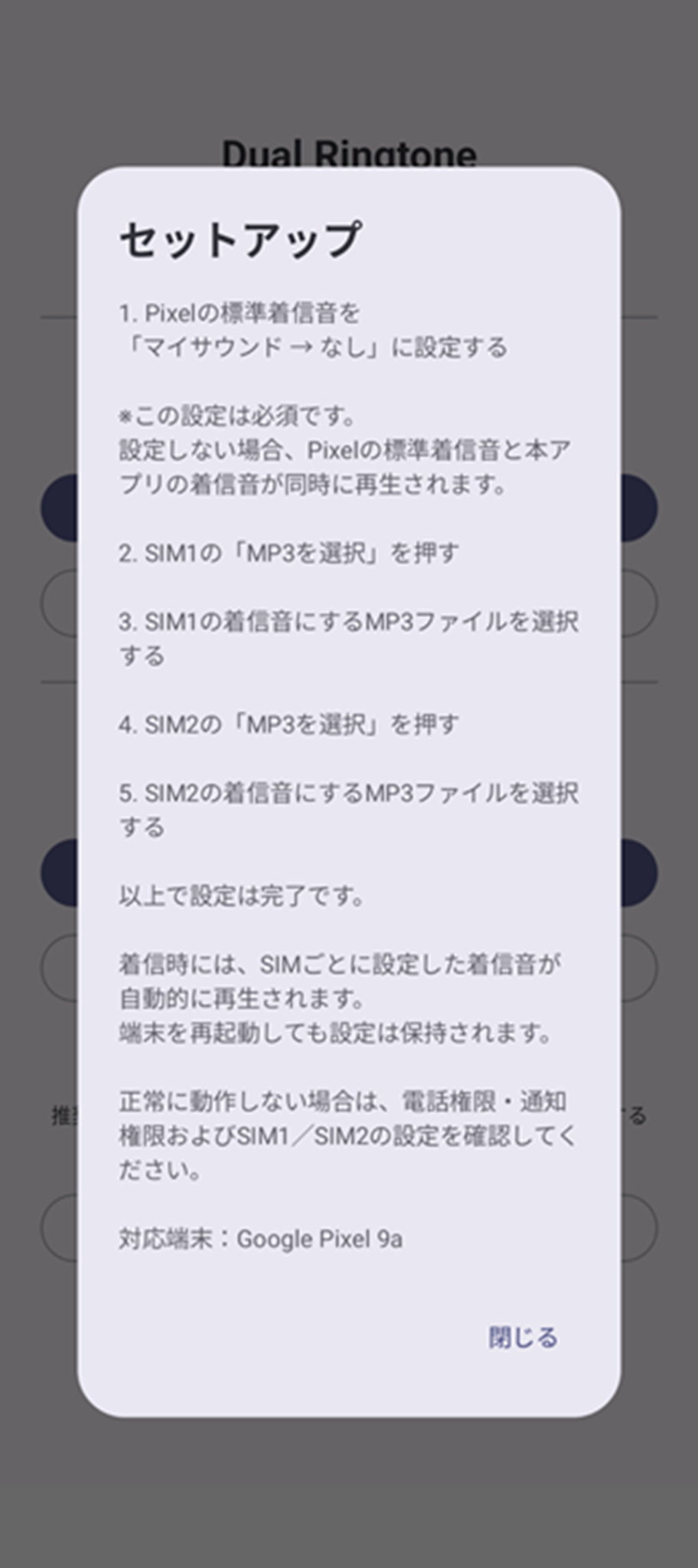
- Set the standard Pixel ringtone to “My Sounds → None.”
- Select an MP3 ringtone for SIM 1 in Dual Ringtone.
- Select a different MP3 ringtone for SIM 2.
- The app plays the MP3 assigned to the SIM receiving the incoming call.
Google Pixel 9a dual SIM ringtone FAQ
Can I set a different ringtone for each SIM on Google Pixel 9a?
Yes. Dual Ringtone lets you select a different MP3 ringtone for SIM 1 and SIM 2.
Does Dual Ringtone work on phones other than Pixel 9a?
Google Pixel 9a is currently the officially supported and tested device.
What does it mean to use different ringtones for SIM 1 and SIM 2?
With dual SIM, one smartphone can use two lines, SIM 1 and SIM 2. Dual Ringtone lets you play a different ringtone depending on which SIM receives the incoming call.
Why must the standard Pixel ringtone be set to None?
This prevents the standard Pixel ringtone and the Dual Ringtone MP3 from playing at the same time.